
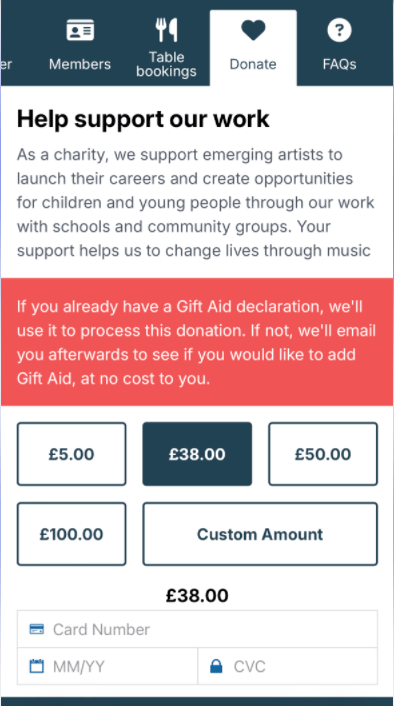
Once switched on, a Donations tab appears on the mobile ticket, and customers can make a charitable donation in a few taps. Donations land in your Stripe account — see Connect a payment processor if Stripe isn't set up yet.
Any ticketing system can collect donations this way. What differs by system is the write-back (below).
Turn it on
Donations are configured by our team. Contact support@encorepro.com and, with a Stripe account connected, we'll set up the tab.
Reporting write-back — read this if you're not on SpektrixThis is where the ticketing system matters:
- Spektrix — donations write back automatically. They show in your usual Spektrix reporting and attach to the customer's profile, so you can see who gave without doing anything extra.
- Every other system, including Tessitura — donations are collected in Stripe, but do not yet write back to your ticketing system's reporting. Write-back for other systems is planned but not live. For now, reconcile these from Stripe.
For UK clients: if a customer already has a Gift Aid declaration on file, crowdEngage applies Gift Aid automatically. It won't prompt customers about Gift Aid otherwise — but you can send a catch-up email to non–Gift Aid donors asking if they'd like to add it retrospectively.