
What this needs
crowdEngage pulls customer tags for most ticketing systems, but not automatically every one. Check with support that yours is included before you build around tags — support@encorepro.com.
Once tags are flowing in, they behave like any other criteria — see Target recipients with the Criteria Builder for the mechanics.
What you can do with themTags turn "everyone at this performance" into "the right people at this performance." A few that earn their keep:
- Access bookers — send arrival, step-free entry, or assisted-listening details only to the customers who need them.
- Members or donors — a different pre-show message, a members' bar menu, an early-entry reminder.
- SMS opt-outs — tag customers who've asked not to get pre-show texts and exclude them from SMS going forward. Worth setting up early; it's the tag that keeps you right!
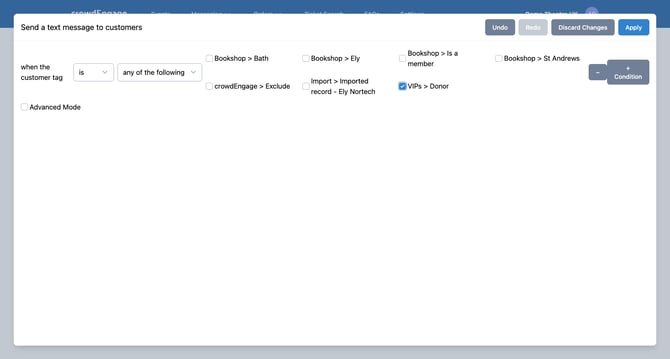
Tags open up a much more personal approach than seat and ticket type alone. If you're not sure which of your ticketing tags you can use, ask support and we'll tell you what's available.