
[Venue name]'s Brand New Digital Tickets
We're introducing digital tickets through our partner crowdEngage. You'll get yours by text on the day of your performance. It'll look something like this:
[SCREENSHOT: an example mobile ticket with your branding]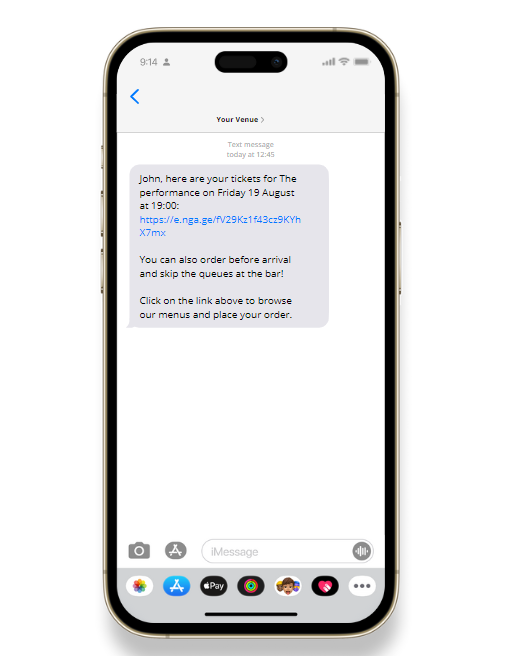
You'll know it's from us: the text comes from [insert your text sender name], and the ticket carries our logo.
Click on the link in the message and it will take you to your digital ticket. You can use this ticket to gain entry.
Check out the MAP and FAQs tabs for more information about planning your visit.
[SCREENSHOT: the mobile ticket tabs]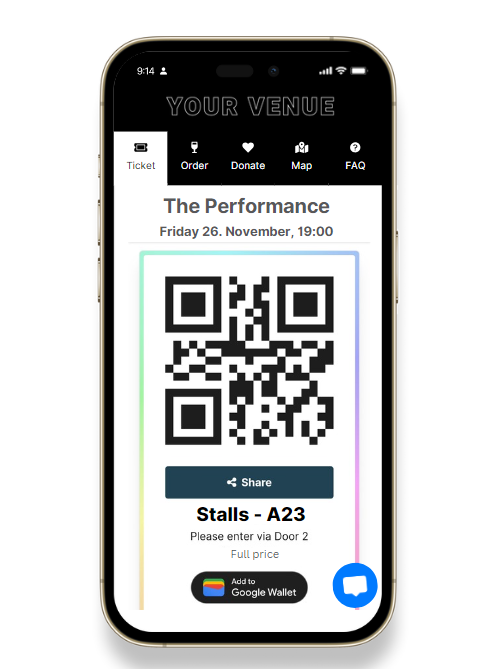
Running late and need to get your friend their ticket? Tap the share button and follow the steps. The ticket moves off your screen to theirs, so they can get in and order their own drinks.
Want it handy at the door? Save it to your Apple or Google Wallet — just tap the button on the ticket.
[SCREENSHOT: Add to Wallet]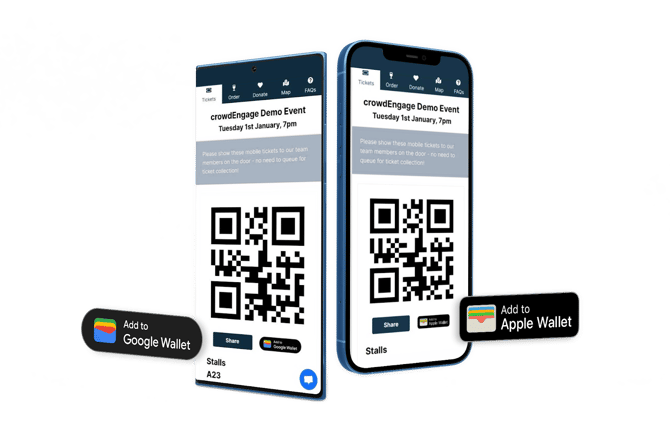
Skip the bar queue. Open the Orders tab to see the pre-order menus. The confirmation page tells you where to collect. If you're a member, your discount is added to pre-orders automatically.
No mobile number on your account? Contact the box office to add one, and your tickets will reach you right when you need them.
We may also text if there are any emergency cancellations or last minute updates to your event. We will not text you for anything that doesn’t relate directly to your visit.
Want a hand tailoring this to your venue? support@encorepro.com.