
Read this before you send
- It goes to everyone. Instant send delivers a flow template, not a flow step — so any recipient criteria you'd normally set do not apply. It sends to all customers booked for the performance who have a mobile number. There's no targeting.
- It's texts only. No email.
- It can't be pulled back. Once it's sent, it's sent. There's no undo.
Treat it like getting on the mic in the house — everyone hears it, and you can't unsay it.
Send
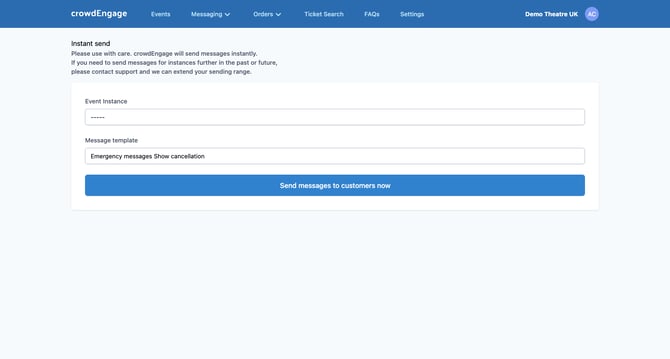
- Go to Messaging → Instant send.
- Choose the performance you're messaging.
- Choose the message template.
- Send.
Set yourself up before you need it
The worst time to write an emergency message is during the emergency. Keep a few emergency templates ready inside a flow — delayed start, cancellation, entrance change — so when it happens you're editing and sending, not drafting from scratch.
If you can't see the event you want to send for (maybe it's been rescheduled to next year) let us know and we'll extend your sending range so you can update your customers.
Help: support@encorepro.com