
How it works for the customer
The Add to Wallet button shows on the mobile ticket automatically with no setup on your end. Customers see the wallet that matches their device; on a web browser they'll usually see both.
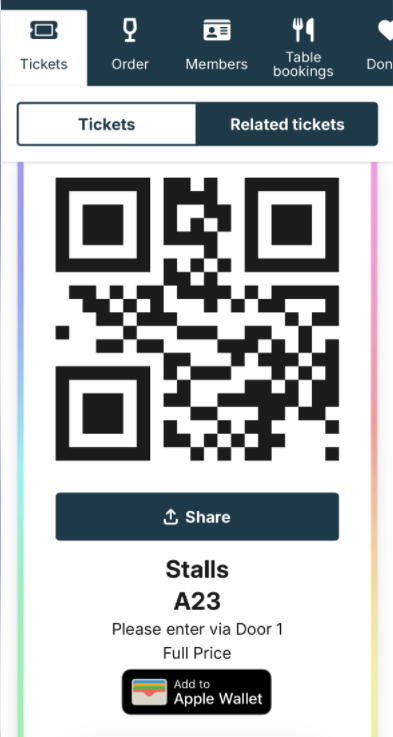
When they tap Add to Wallet, a wallet-style ticket downloads to their phone. From then on:
- It works offline — no signal needed at the door.
- It stays in their wallet until the show has passed.
- They can get a lock-screen reminder a few hours before, so the ticket surfaces without them digging for it.
The wallet ticket picks up your branding colours, so it still feels like your venue. The overall layout, though, is set by Apple or Google so we can't change too much.
If it's not working- No Add to Wallet button. It should appear automatically; if a customer can't see it, pull up their ticket in Use ticket search to confirm what they're seeing, then contact support@encorepro.com.
- Wallet colours look off. They follow your branding — check Brand your mobile ticket.
Help: support@encorepro.com